
AI Coding Tools in 2026: What We Actually Use Across 20+ Client Projects (And What We Don’t)
Huzefa Motiwala February 27, 2026
In 2026, AI coding tools are no longer a novelty – they’re a key part of software development. But not all tools are created equal. At AlterSquare, we’ve tested these tools across 20+ projects, focusing on production environments where reliability and cost matter most. Here’s what works and what doesn’t:
Key Takeaways:
- Top Tools: GitHub Copilot, Cursor AI, Replit AI Agent, Tabnine, and Amazon CodeWhisperer excel in specific use cases like boilerplate generation, large codebase management, rapid MVP development, compliance-heavy industries, and AWS-centric projects.
- Challenges: Many tools fail due to subtle bugs, high setup/maintenance overhead, or runaway costs. For instance, some tools introduced hidden errors or racked up thousands in API charges overnight.
- Cost Control: Token pricing can quickly spiral, with hidden costs like debugging and increased review time inflating the total expense. Careful usage limits and prompt caching are crucial to manage budgets.
- Trust Issues: While 84% of developers use AI tools, 46% don’t trust the outputs, with many struggling to catch “almost right” code that hides logical flaws.
Quick Comparison of AI Tools:
| Tool | Best For | Acceptance Rate | Notable Limitations | Cost (Monthly) |
|---|---|---|---|---|
| GitHub Copilot | Everyday coding tasks | 65% | Limited multi-file context | ~$10-$19 per user |
| Cursor AI | Large codebases, complex tasks | 70% | High token usage | ~$1.20 per query |
| Replit AI Agent | Fast MVP development | N/A | Limited for compliance-heavy projects | $25-$40 per user |
| Tabnine | Regulated industries | 45% | Weaker performance in complex scenarios | $12+ |
| Amazon CodeWhisperer | AWS-centric projects | 40% | Inconsistent output | Free-$19 per user |
The takeaway? The right tool depends on your team’s needs, budget, and the risks you’re willing to accept. While AI tools can speed up development, they require strict governance to ensure quality and control costs.
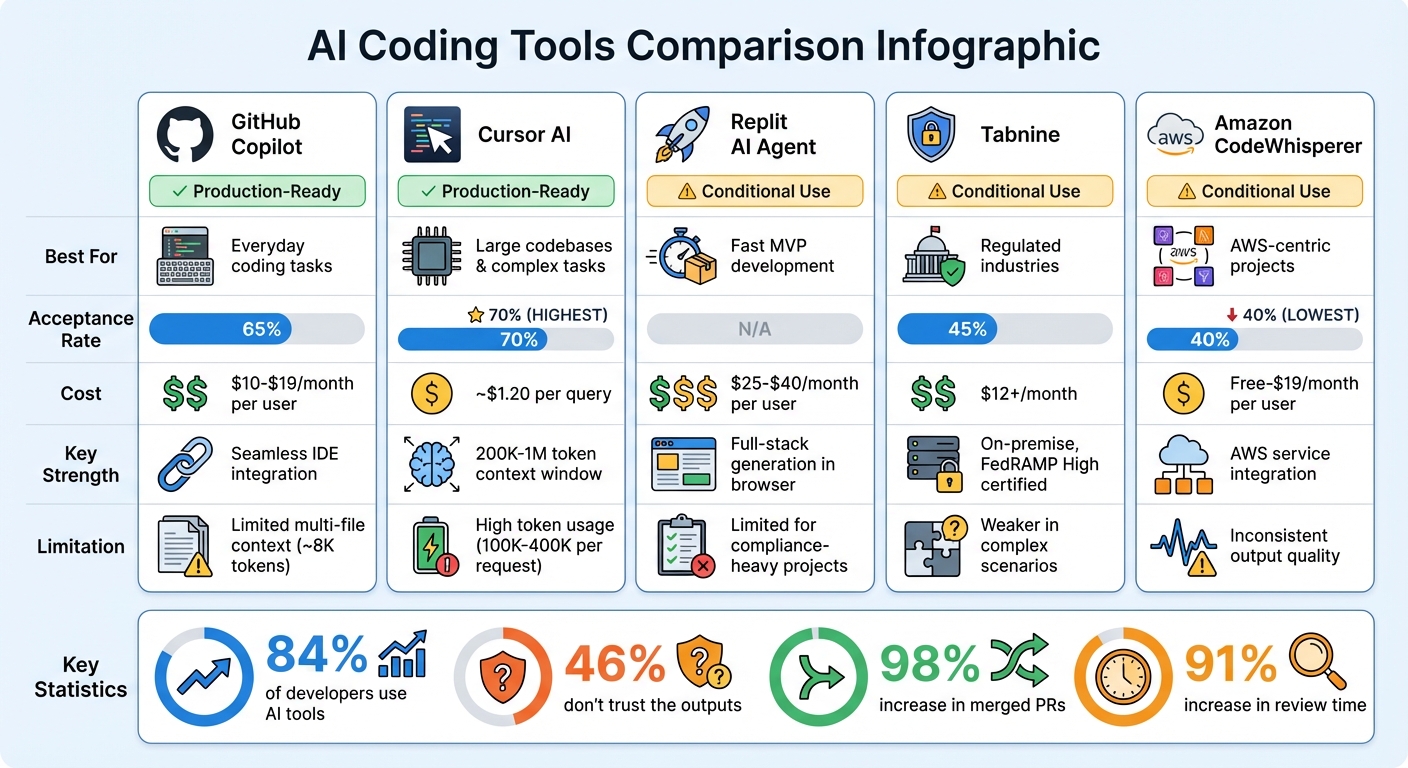
AI Coding Tools Comparison 2026: Performance, Cost and Best Use Cases
AI Coding Tools Ranked from Worst to Best (2026)
sbb-itb-51b9a02
How We Categorize Tools: The 3-Tier System
After testing AI coding tools across more than 20 production environments, we moved away from relying on vendor benchmarks. Instead, we developed a classification system grounded in real-world performance. Every tool is sorted into one of three tiers: Production-Ready, Conditional Use, or Rejected. The key factor isn’t a flashy feature list – it’s whether we’d trust the tool during a Friday afternoon deployment. This system ensures every tool is evaluated based on its ability to handle the demands of actual production environments.
Production-Ready Tools
These tools are reliable enough to run in production with minimal oversight. To qualify, a tool must maintain an acceptance rate above 65%, meaning developers frequently adopt the suggested code without making changes. It also needs to demonstrate awareness of the entire codebase, not just the active file [3]. For example, GitHub Copilot achieves a 65% acceptance rate, while Cursor exceeds it at 70% [3]. Both tools can handle complex tasks like multi-file refactors without breaking existing logic, making them dependable for production use.
However, cost is a factor. Cursor, for instance, consumes between 100,000 and 400,000 tokens per request, translating to about $1.20 per query [9]. To manage expenses, we rely on strategies like prompt caching, which can cut costs by up to 90% for repeated queries, and deterministic hooks to prevent risky changes, such as edits to .env files [8][9].
"The question isn’t ‘which tool is best?’ It’s ‘which failure mode will cost you the least?’"
- Likhon, AI Engineer [9]
Conditional Use Tools
These tools perform well in specific scenarios but fall short of being universally reliable. For instance, Tabnine, with a 45% acceptance rate, is ideal for regulated industries requiring on-premise hosting [3]. Similarly, Amazon CodeWhisperer, at a 40% acceptance rate, works best for AWS-centric projects where its SDK suggestions are particularly useful [3]. On the other hand, agent-driven tools like CrewAI are restricted to internal prototypes due to their tendency to create "vibe coding" debt – where developers accept code they don’t fully understand [7].
To keep these tools in check, we enforce strict operational protocols. Usage is limited to 7–10 functions, and we rely on an AGENTS.md file as the definitive coding standard [5][6]. For teams experimenting with new tools, hard limits – such as capping tasks at 25 steps and spending at $5 per task – help prevent runaway costs [5]. These measures are informed by rigorous testing across environments with challenging constraints, like regulatory requirements and legacy systems.
Rejected Tools
Some tools fail to meet even basic reliability standards, earning their place in the "Rejected" category. These tools often suffer from low performance or excessive costs. For example, early versions of AutoGen caused one team to rack up $2,400 in API costs overnight due to an infinite loop [5]. Other tools introduced issues like hallucinated function calls or required so much setup time that any accuracy benefits were negated.
In February 2026, WeTravel evaluated multiple AI code reviewers using a scoring system ranging from -3 to +3 across five dimensions. After reviewing nearly 100 comments, they concluded that none of the tools met their quality benchmarks [6]. Ultimately, the time spent debugging poor suggestions outweighs any potential benefits, making these tools unfit for production use.
The opportunity cost of using unreliable tools is simply too high to justify.
What We Actually Use
Let’s dive into the tools that have consistently proven themselves in our workflow. These five tools have earned their place in production by addressing common challenges – whether it’s managing large codebases, adhering to strict compliance standards, or quickly shipping MVPs. Each tool has been tested under real-world conditions, including tight deadlines, client constraints, and budget limitations.
GitHub Copilot: The Everyday Workhorse
GitHub Copilot is our go-to tool for most teams. While it’s not the most advanced option available in 2026, it’s practical and reliable. Its seamless integration with Visual Studio Code and GitHub Actions means you can get started with minimal setup and see immediate productivity gains. For tasks like boilerplate code, unit tests, and documentation, Copilot delivers results that meet our production needs[3].
The tool’s ecosystem is hard to beat. By the end of 2025, Copilot had over 1.8 million paid users and was used by 90% of Fortune 100 companies[11][12]. For clients already using GitHub Enterprise, adding Copilot is an easy decision. Its SOC2 compliance also simplifies security reviews. However, there’s a catch – its ~8,000-token context window limits its ability to handle multi-file changes, making it less effective for complex refactors.
That’s where Cursor AI steps in.
Cursor AI: Tackling Complex Codebases
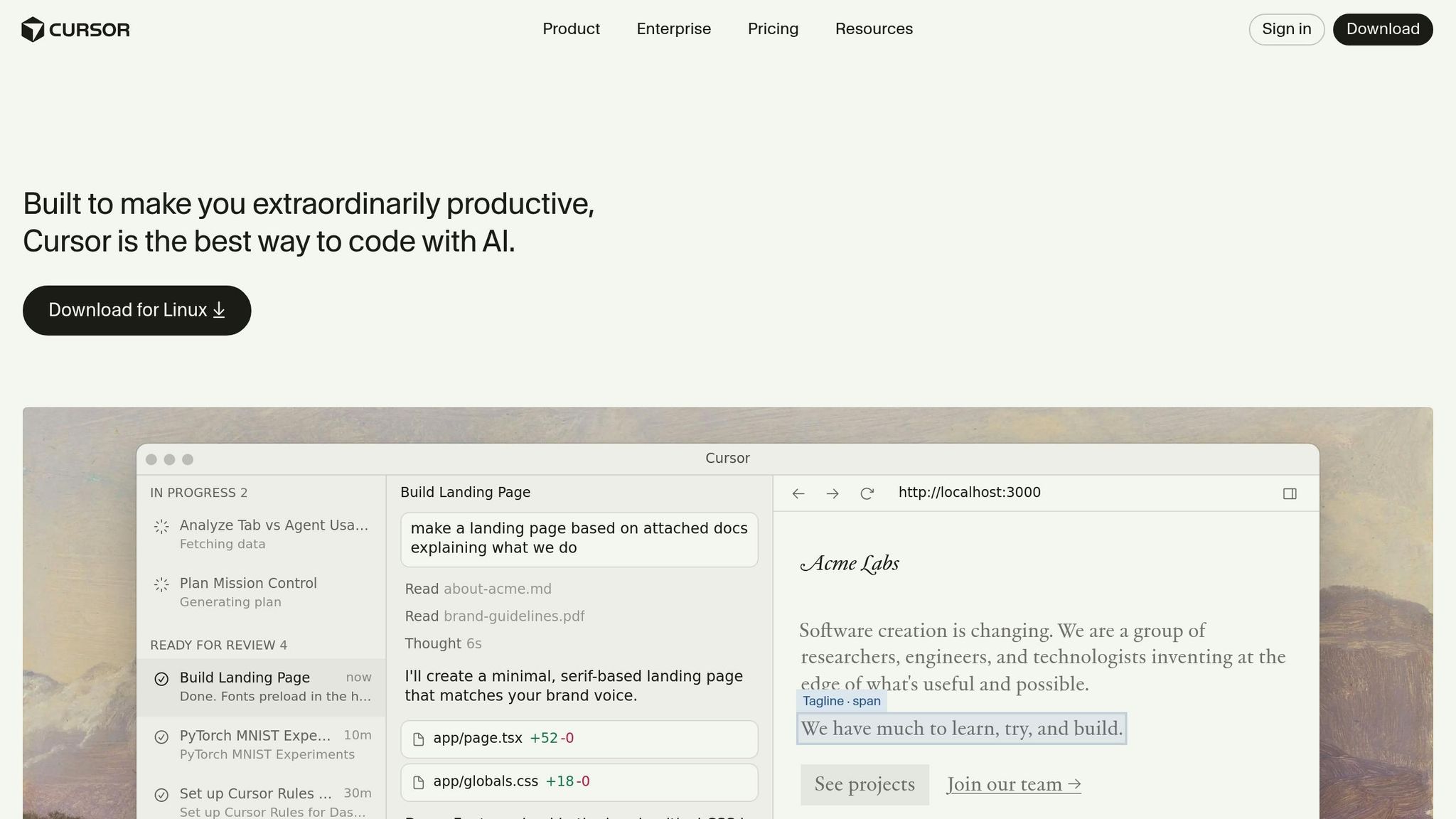
Cursor excels in scenarios where Copilot falls short, particularly with multi-file reasoning and deep understanding of large codebases. As an AI-native IDE (built on a fork of VS Code), it offers massive context windows ranging from 200,000 to 1 million tokens, enabling it to index entire repositories[15][12]. In one case, during a REST-to-GraphQL migration for a fintech client, Cursor identified 47 inter-file dependencies that other tools missed[12].
Cursor’s Composer mode is a standout feature. It coordinates changes across multiple files while maintaining architectural integrity, earning the highest acceptance rate in our tests[3].
"Cursor dominates complex projects with its Composer mode and superior codebase understanding."
- Browse AI Tools[12]
By Q4 2025, Cursor users were merging a median of 2.8 pull requests daily. By February 2026, that number had climbed to 4.1 PRs per day – a 46% boost in throughput[4].
Replit AI Agent: Speeding Up MVP Development
When speed is the priority, Replit Agent is our tool of choice. It’s built for rapid MVP development, capable of generating full-stack applications – including frontend, backend, database, and authentication – directly in the browser. This tool significantly cuts down the early-stage development timeline, saving 10–15 days for startups in AlterSquare’s Validation Engine program[10][14].
Replit’s pricing is also appealing for startups, with plans starting at $25 per month for Core and $40 per user per month for Teams[10]. This makes it an ideal fit for bootstrapped founders looking to validate their ideas quickly. However, for projects requiring strict compliance, we turn to a different solution.
Tabnine: Built for Regulated Industries
For teams operating in heavily regulated industries like fintech, healthcare, or defense, Tabnine’s on-premises solution is invaluable. It’s our go-to for clients with stringent compliance needs. For example, its air-gapped deployment and FedRAMP High authorization are critical for healthcare clients bound by HIPAA regulations[16][13].
While Tabnine’s performance doesn’t match Cursor’s for complex scenarios, its focus on compliance makes it worth the trade-off. Pricing starts at $12 per month for Pro, with custom enterprise plans available for air-gapped deployments[13].
Amazon CodeWhisperer: AWS Projects Made Easy
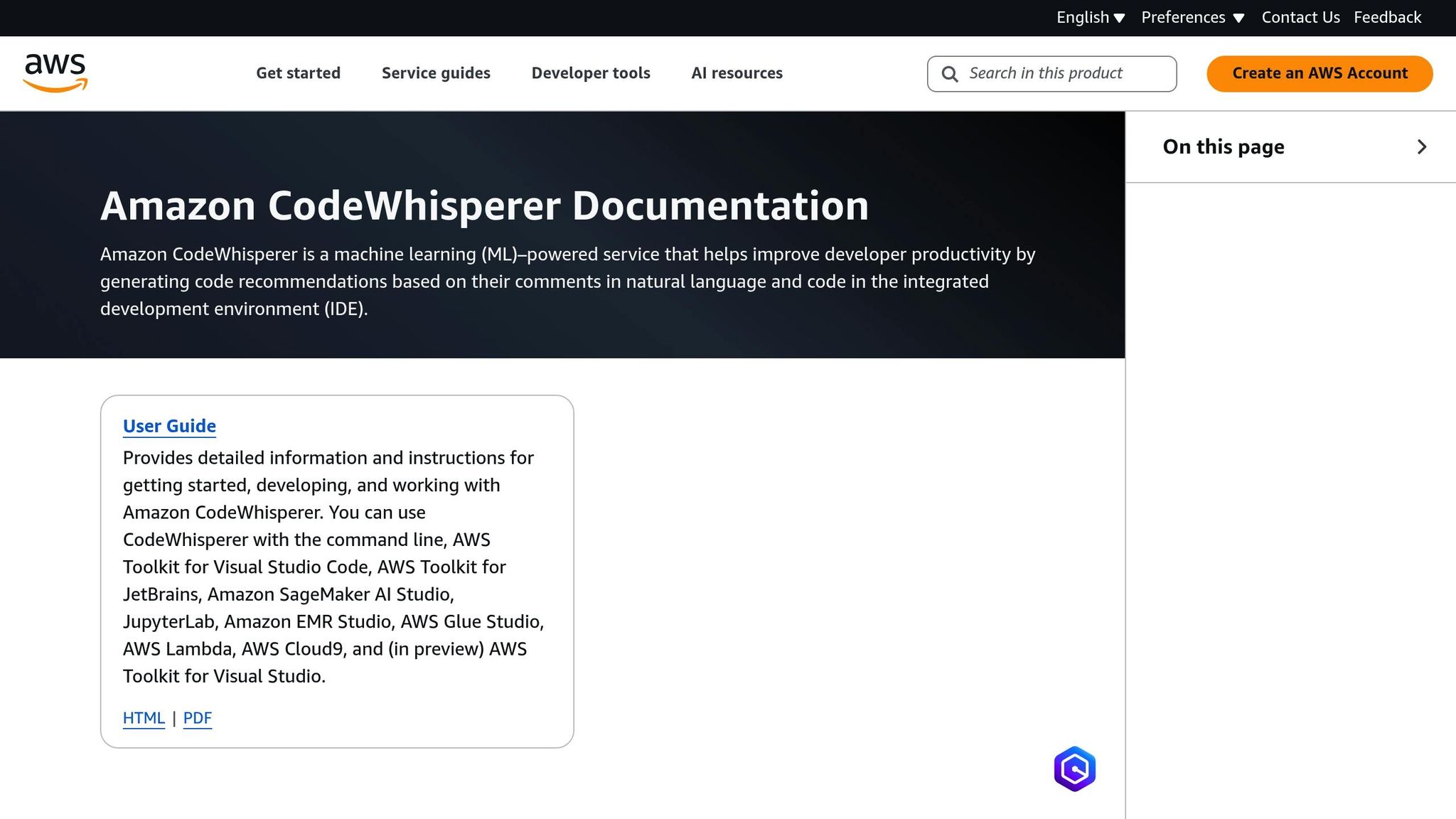
For AWS-centric projects, Amazon CodeWhisperer (now Amazon Q Developer) is the fastest tool for the job. Its tight integration with AWS services like Lambda, DynamoDB, and CloudFormation makes it perfect for tasks where speed and AWS compatibility are key[13]. While its capabilities are tailored to a narrower use case, this specialization ensures it excels in AWS-heavy environments.
The free tier includes 50 agent requests per month, with the Pro plan priced at $19 per month[16][13].
What We Don’t Use
Some tools just don’t make the cut. While our approved tools have proven reliable in demanding production environments, others have consistently fallen short during rigorous testing. In high-stakes scenarios, every tool must deliver dependable and cost-efficient performance. Unfortunately, many AI coding assistants failed to meet these standards due to inconsistent output, high overhead, or unsustainable costs. Here’s a breakdown of what we’ve rejected and why.
Inconsistent Code Generation
One of the most frustrating issues with certain tools is how they fail – not with obvious errors, but with subtle ones. The code may compile, the tests might pass, but hidden flaws can wreak havoc in production. For instance, between January and June 2025, a four-person backend team relying on ChatGPT discovered 47 subtle bugs in production[17].
"AI optimizes for ‘it works’ (compiles) not ‘it’s right.’ The code compiles. The tests pass. It ships. Then production breaks it."
- Devrim Ozcay, Software Engineer[17]
Amazon CodeWhisperer illustrates this problem perfectly. Although it’s free for individual use, its 40% acceptance rate – the lowest among major tools – ends up being a productivity drain[3]. Developers often spend more time reviewing and fixing its suggestions than they save. Common issues include generating inefficient N+1 query patterns, missing critical database indexes, and introducing race conditions in inventory logic that only surface under load[17]. This mirrors a broader trend: developer trust in AI accuracy dropped from 70% to 60% between 2024 and 2025[17].
But inconsistent output isn’t the only issue. Some tools demand so much setup and upkeep that they become liabilities.
High Setup and Maintenance Overhead
Certain tools are so complex to configure and maintain that they negate any potential benefits. CrewAI is a prime example. During evaluations of 14 agent systems, CrewAI consistently produced redundant outputs, earning a 5/10 rating for production readiness[5]. Its unpredictability made it unsuitable for client-facing deliverables.
Similarly, GitHub Copilot Enterprise was rejected for a healthcare client in 2025. Implementing SCIM for identity management required transitioning to Enterprise Managed Users (EMU), which would have cost $156,000 in migration labor and necessitated recreating all repositories[9]. The disruption far outweighed the minor feature improvements.
Another issue is context drift. Over time, as AI configurations like rules, MCP settings, and chat histories pile up, tools accumulate "context debt." This slows performance, increases token consumption, and degrades output quality. One audit revealed that refactoring and minimizing "always-on" context rules could reduce median output costs by 21% – from $229 to $181 per million tokens[19].
When you add these overheads to spiraling operational costs, it’s clear why such tools don’t make the cut.
Cost Problems at Scale
Token-based pricing can seem manageable – until you scale. In early 2025, a fintech client had to roll back a Cursor Teams deployment for 200 developers after token overages hit $22,000 per month. The surprising part? 70% of the consumption came from just 30 developers working on legacy codebases[9].
Autonomous agents can also create runaway costs. For instance, CODERCOPS reported a production incident where an AI agent racked up $2,400 in API charges overnight after getting stuck in an infinite loop while parsing a malformed PDF[5]. Without strict usage limits, these tools can generate massive bills quickly. A team of 10 developers using AI tools can face total annual costs of $192,666, even though direct subscriptions amount to just $8,400 per year[18]. The hidden costs – debugging AI errors, increased code review time, and production incidents – far exceed the upfront fees.
These challenges make it clear why some tools simply don’t belong in our production environments.
The Real Trade-Offs: Context, Cost, and Control
When choosing an AI tool, you’re essentially juggling three main factors: context depth, operational cost, and control. These elements determine how well a tool understands your codebase, whether it’s financially feasible at scale, and how effectively you can maintain quality standards. Every tool comes with its own trade-offs, so understanding these dimensions is critical to making smart decisions.
Context Depth: How Well Tools Understand Your Codebase
Not all AI tools have the same level of insight into your codebase. For instance, IDE copilots like GitHub Copilot only work within the file you’re editing, offering shallow context. On the other hand, tools like Cursor can process multiple files and understand the structure of your project. Some platforms even go further, combining workflows like intent-to-PR with governance layers[20].
But deeper context comes with a price – literally. Tools with rich context capabilities often require significant token usage, ranging from 100,000 to 400,000 tokens per request. Terminal-native agents, however, can be up to 5.5 times more efficient with tokens[2][9]. This difference can be a game-changer, especially for teams managing dozens of projects with varying codebase sizes.
To address this, high-performing teams use "Style Contracts" – rules embedded directly into the repository, such as linters, type checks, and "golden paths" for common tasks[20]. Since AI agents don’t retain context between sessions, persistent rules are often stored in configuration files like AGENTS.md or tool-specific files like .cursor/rules[8]. However, these files must remain concise. Research shows that when configuration files exceed 150 lines, AI performance declines uniformly[8].
"The key to getting consistent, high-quality code from AI isn’t hoping the model ‘learns your style’ – it’s constraining the solution space with strong types, linters, tests, and clear architectural boundaries."
- Lev Kerzhner, AutonomyAI[20]
Ultimately, the token usage for deep context impacts operational costs, which we’ll explore next.
Operational Cost: Value vs. Expense
The cost of AI tools isn’t just about licensing fees – it’s about the total cost of ownership (TCO). Token inefficiencies can significantly inflate costs, particularly when scaling across multiple projects. While seat licenses might range from $20 to $200 per month, hidden costs like API overages, debugging time, and extra code review hours add up fast[18][22].
Take this example from February 2026: A team of 10 developers calculated their annual AI tool costs. Licensing for GitHub Copilot and Cursor totaled $8,400 per year, but when factoring in $46,800 for debugging AI errors and $78,000 for increased code review time, the total cost ballooned to $192,666[18].
API calls also carry hidden token costs. System prompts, tool definitions (300–700 tokens per request), and growing conversation histories all contribute to higher usage[21]. Many organizations underestimate their AI API expenses by 40% to 60%[21].
The pricing spectrum for tokens is vast. The cheapest option (DeepSeek V3) costs $0.07 per million tokens, while the most expensive (Claude Opus 4) is a staggering $75.00 per million tokens – a 1,071x difference[21]. To manage costs, teams are adopting strategies like model tiering – using cheaper models for simpler tasks and reserving high-end models for complex logic. Another effective measure is prompt caching, which reduces repeated context costs by up to 90%[21].
Control and Auditability: Maintaining Quality Standards
While cost and context are important, control mechanisms ensure that AI-generated code meets production standards. The goal isn’t to micromanage AI but to enforce quality through structured guardrails. The Enforcement Pyramid is a widely used approach, combining deterministic hooks and CI gates (enforcement), advisory configuration files (guidance), and in-prompt suggestions (recommendations)[8].
Deterministic guardrails are non-negotiable. For example, tools like Claude Code use shell-command hooks (PreToolUse and PostToolUse) to enforce critical checks at specific points. These hooks block actions that violate architectural constraints or attempt to modify sensitive files[8]. Teams also implement risk-tiered review gates, categorizing AI-generated changes into Low, Medium, and High risk. Low-risk changes (e.g., documentation updates) might only need AI review, while high-risk changes (e.g., authentication or billing logic) require human oversight and AppSec approval[23].
Consider Stripe’s approach in February 2026. The company deployed "Minions", coding agents that generate over 1,000 merged pull requests per week. To maintain quality, they use isolated "devboxes" that spin up in just 10 seconds, and every pull request undergoes human review[1]. While AI tools increased merged pull requests by 98%, the time spent on reviews also rose by 91%[25]. Alarmingly, 48% of developers admit they don’t consistently check AI-generated code before committing it[25], highlighting the need for robust guardrails.
Gartner predicts a 2,500% rise in software defects by 2028 for organizations that bypass strong governance when moving from AI prompts to production[24]. To mitigate this, teams are automating architectural reviews with tools like ArchUnit, which block builds if an AI agent violates design principles (e.g., a Controller directly importing a Repository)[25]. These automated checks ensure quality even when human oversight falls short.
Conclusion: AI Tools as Part of Engineering Strategy
AI tools have shifted the focus in software development. Instead of spending most of the time writing code, the challenge now lies in reviewing it. At AlterSquare, we’ve observed this firsthand across more than 20 client projects: AI-generated code has led to a 98% increase in merged pull requests, but it has also pushed review times up by 91%[26]. This highlights a critical shift – code generation is no longer the bottleneck. The real work is in validation, testing, and ensuring architectural soundness.
This change also forces teams to reconsider which kinds of mistakes are the most costly. For example, junior engineers experience a 77% boost in productivity, while senior engineers see a smaller 45% increase. Why the gap? AI tools often act as a productivity booster for generalists, but for experienced developers, they can introduce subtle errors that require more debugging time than writing the code manually[26]. Choosing the right tools now depends on factors like team dynamics, codebase complexity, and the risks tied to potential failures.
"The real strategic question isn’t ‘which tool is best?’ It’s ‘which failure mode will cost you the least?’"
- Likhon, AI Engineer[9]
By February 2026, small teams were already excelling with systems customized for specific workflows and governance models. For instance, Coinbase reported that 5% of all merged pull requests were generated by agents built by just two engineers. Similarly, Stripe’s agents were producing over 1,000 merged pull requests per week[1]. These examples highlight that top-performing teams don’t just adopt AI tools – they create specialized orchestration layers with strict governance to ensure quality at scale.
One thing remains clear: never delegate understanding. Engineers must fully grasp and justify AI-generated solutions. Blindly trusting AI code can lead to skill erosion and a buildup of technical debt that grows faster than it can be addressed[26]. At AlterSquare, we tackle this through practices like deterministic hooks, limiting atomic pull request sizes, and requiring human reviews for high-risk changes. AI isn’t a replacement for oversight – it’s a tool to complement rigorous review processes.
Given these trade-offs, a disciplined approach to implementation is key. Start with a pilot phase, using AI tools on real-world tasks like multi-file refactors, bug fixes, or legacy code updates. Track metrics such as pull request churn, rework cycles, and token costs. Then, formalize your findings into style guides, linters, and CI gates. AI tools thrive when they operate within clearly defined architectural boundaries – not when they’re left unchecked.
FAQs
How do we choose the right AI coding tool for a project?
When choosing a tool for your project, begin by pinpointing its main requirements – whether it’s automation, refactoring, or code review. Select a tool that aligns with these objectives and stick with it long enough for your team to become comfortable, minimizing disruptions. Prioritize tools that seamlessly integrate into your existing workflows, meet necessary compliance standards, and match your team’s level of expertise. Testing too many tools at once can lead to inefficiency, so focus on finding one that fits well and commit to it.
How do we stop token costs from blowing up?
To manage token costs effectively, prioritize thorough token auditing to identify unnecessary usage. Streamline context management by attaching only the files that are absolutely necessary. Implement prompt caching to reuse frequently accessed prompts without incurring extra costs. Finally, set up alerts to track usage patterns and catch inefficiencies before they escalate. These strategies can help maintain a balance between performance and cost efficiency.
What guardrails make AI-generated code safe for production?
AI-generated code becomes safe for production by combining automated checks, risk-based reviews, and human oversight. This process involves integrating automated tests, policy checks, and review gates directly into development workflows. Additionally, proof-based review loops and tracking metrics – like defect escape rates – play a crucial role in maintaining quality. Human reviewers approach AI outputs as if they were created by "untrusted junior developers", thoroughly validating everything before deploying the code in sensitive environments.







Leave a Reply